Without UX Native
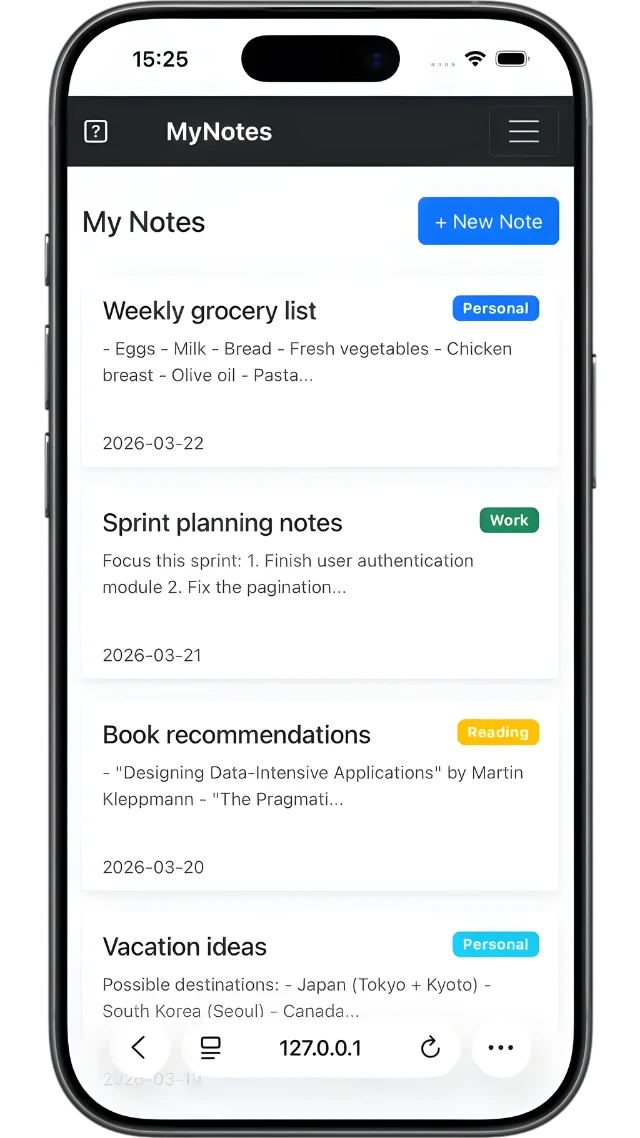
Browser navigation bar, web navbar — it feels like a website.
With UX Native
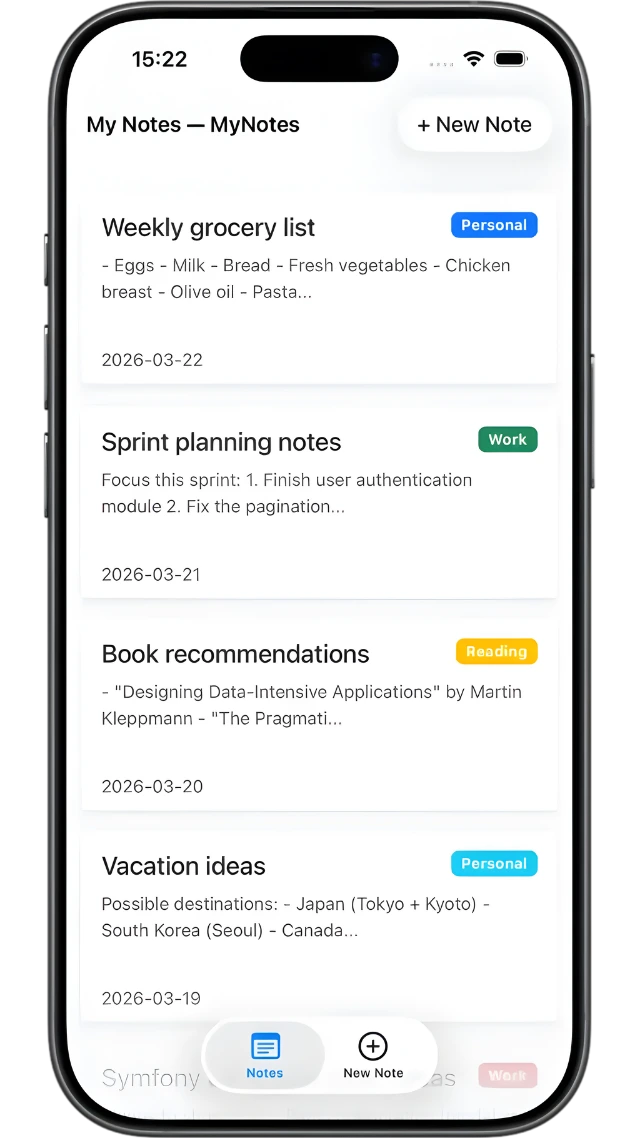
Native title bar, no browser chrome — it feels like an app.
Hotwire Native Integration
Wrap your Symfony web application in a native mobile shell with Hotwire Native. Detect native requests, conditionally render content, and generate JSON configurations for your mobile clients.
composer require symfony/ux-nativeiOS and Android shells around your Symfony app.
Know when a native client asks for a page.
Serve a different template to native clients.
Generate the JSON your mobile clients consume.
Modals, tabs and back stacks, driven from PHP.
Without UX Native
Browser navigation bar, web navbar — it feels like a website.
With UX Native
Native title bar, no browser chrome — it feels like an app.
What the bundle hands your app
Your Symfony application decides what the mobile client sees and how it navigates. The shell only follows.
A listener flags requests coming from the shell, and Twig branches on it.
{% if ux_is_native() %}
    {# the native shell draws its own bar #}
{% else %}
    {{ include('_navbar.html.twig') }}
{% endif %}Describe which paths open as a modal or push a new screen. No JSON written by hand.
#[AsNativeConfiguration('/config/ios.json')]
public function ios(): Configuration
{
    return new Configuration(rules: [
        new Rule(
            patterns: ['/new$'],
            properties: ['presentation' => 'modal'],
        ),
    ]);
}One command renders every configuration file your clients download at launch.
php bin/console ux:native:build-configs$ composer require symfony/ux-nativeNative is one package among many. They share the same Stimulus foundation and install the same way.

Quickly render <Vue /> components & pass them props.

Form Type and tools for cropping images

Form type for stylized "drop zone" for file uploads
Documentation, the people behind it, and where to ask when something does not behave.